

What’s New in Dynamics 365 Business Central 2026 Release Wave 1
The new version of Dynamics 365 Business Central (2026 Release Wave 1) was released in April 2026, while the new features included in this wave are planned to be delivered to market from April 2026 to September 2026. Let’s take a quick look at some of the new features that are already available and that we think you’ll find interesting.
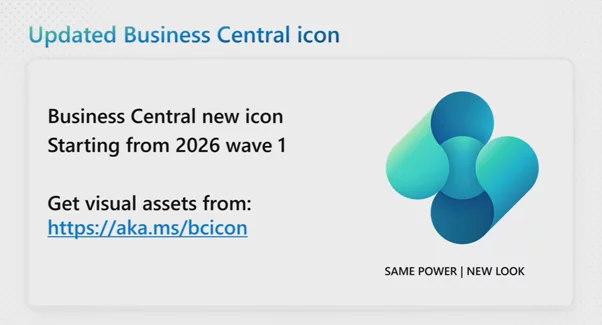
Updated Business Central icon
The first thing you will notice is the new Business Central icon, which has been updated this year. This change aligns with updates across other Microsoft products. You will see the new icon when accessing Business Central via the browser, mobile app, or Teams app.
Development
The 2026 Release Wave 1 introduces several valuable improvements for developers, focusing on AI-assisted coding, enhanced testing workflows, improved security, and better performance in Dynamics 365 Business Central. Let’s review the key improvements:
This release introduces the ability to export and packages analysis views defined in apps, making it possible to include predefined data analysis definitions directly within AL extensions. This allows partners and developers to ship ready-made analytical views alongside their solutions, so end users get instant access to relevant data insights without having to configure analysis views manually.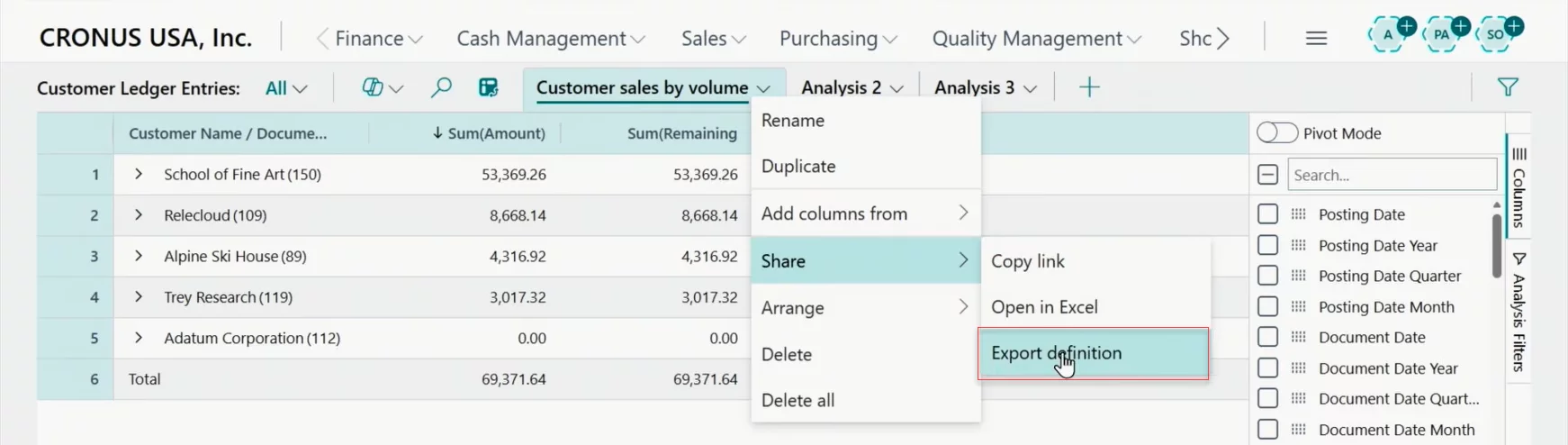
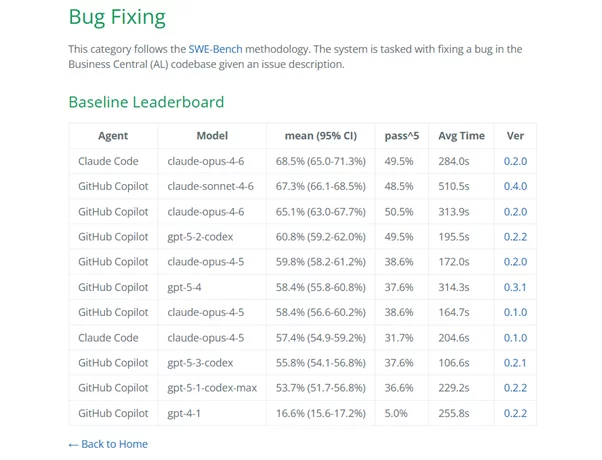
Another interesting tool introduced in this wave is BC-Bench, a new evaluation framework that allows developers to benchmark and evaluate AL coding agents. This tool helps assess how well AI-powered coding assistants perform on Business Central-specific AL development tasks, providing measurable insights into agent accuracy and reliability.
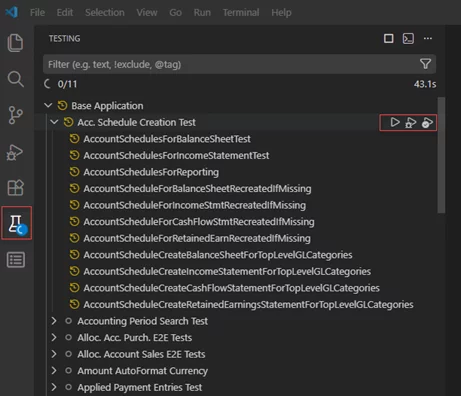
Developers can now run AL tests directly from Visual Studio Code, simplifying the testing workflow without needing to switch to the browser or use external tools. This brings the test-run-debug cycle closer to the editor, significantly improving development productivity.
The new Troubleshooting MCP Server for AL enables AI agents to interact with Business Central environments for diagnostics and troubleshooting. By exposing environment data through the Model Context Protocol, coding agents can retrieve and analyze the full call stack to explain how execution reached a specific point, including scenarios involving deep or complex call chains across multiple application objects. This makes it easier to trace error origins, understand execution flow, and identify which entry points or tests triggered a failure.
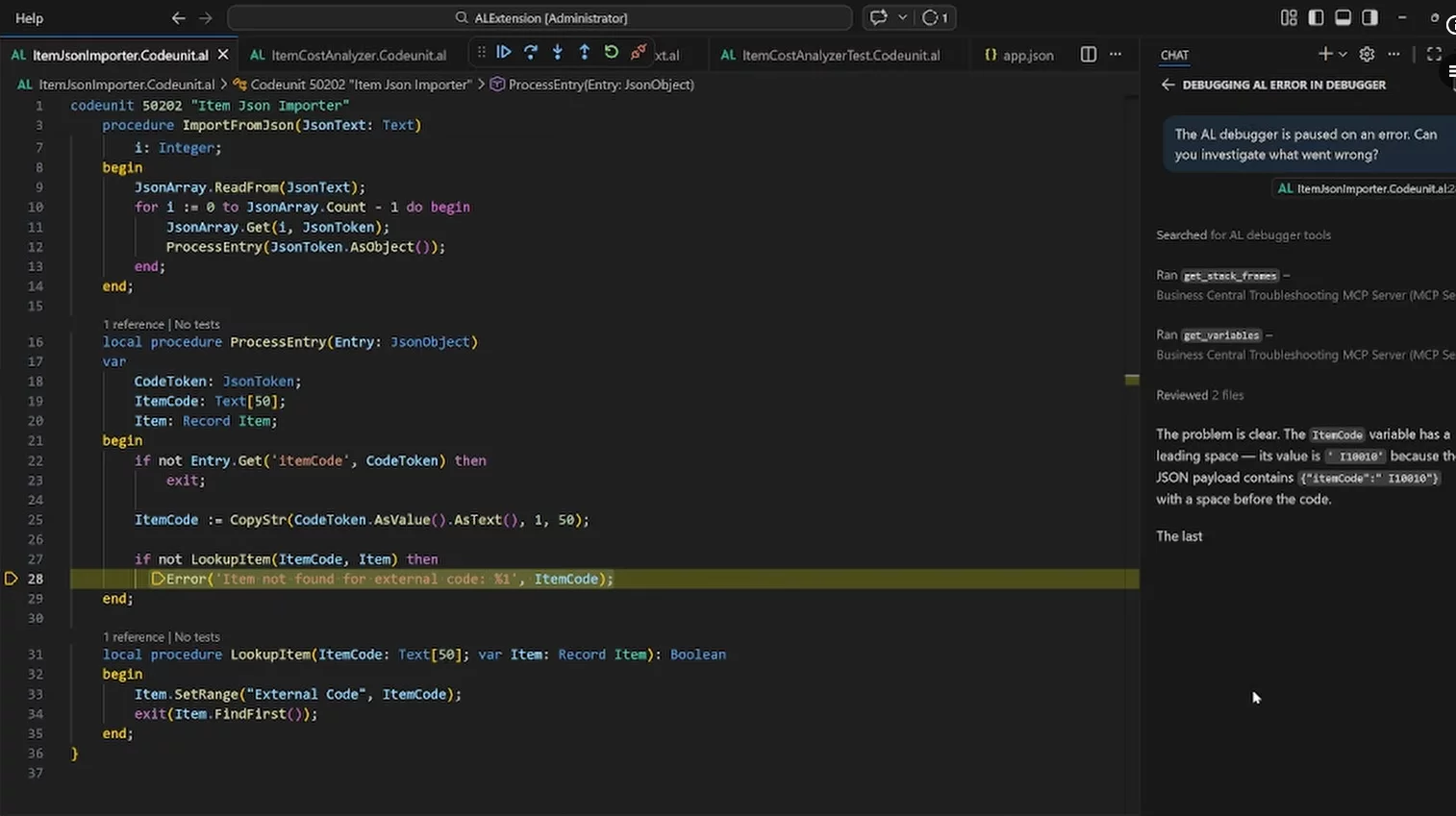
Security is also improved with more secure outgoing HTTP calls by default, which enforces stricter security standards on external HTTP calls made from AL code. Additionally, developers can now download symbols from a NuGet feed, run AL objects using fully qualified names, and benefit from faster Base64 encoding operations.
Copilot and agents
The 2026 Release Wave 1 takes a major step forward in Microsoft’s AI-driven vision for Business Central, expanding the capabilities of agents and Copilot with more powerful automation, better visibility into agent activity, and new tools for designing custom AI agents. The latest updates focus on deeper integration with the Model Context Protocol (MCP), enhanced task management, and greater transparency in AI-generated content.
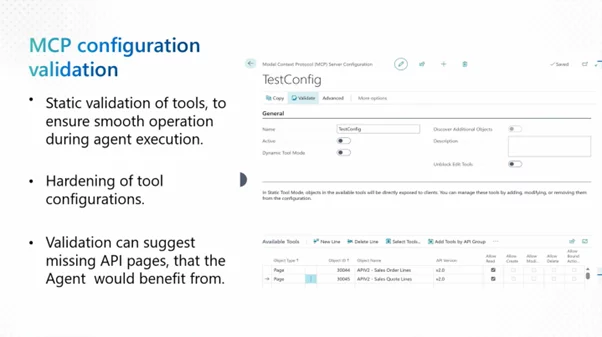
The enhanced MCP server helps your organization scale AI‑driven automation more reliably by enabling consistent, secure agent interactions with Business Central APIs and data. Built‑in validation reduces deployment risk and execution failures, while reusable configurations simplify rollout across multiple environments.
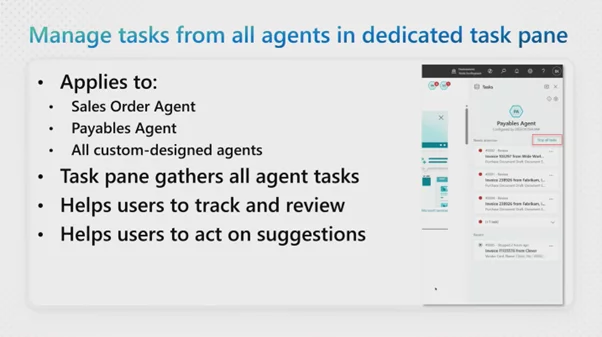
The new dedicated task pane allows users to manage tasks from all agents in one centralized location, providing a clear overview of what each agent is working on. For greater control, users can now stop all active tasks for a selected agent when needed.
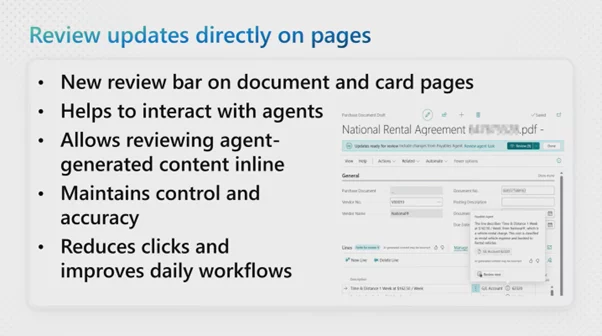
Users can also review content generated by agents directly on pages, making it easier to verify and approve AI-generated outputs without leaving the current workflow.
The new in-product experience for designing agents that automate Business Central processes is made available with AI Development Toolkit for Business Central. The experience offers a low-risk environment for envisioning and prototyping new AI agents tailored to your own business scenarios - extending the same agent runtime capabilities used by built-in Business Central agents. Built for rapid iteration, the designing experience lets you create and refine custom agents using natural language instructions, define their behavior, test agent profiles and permissions, and safely experiment with Business Central data in a sandbox environment. This empowers business users and consultants to define agent behaviors and workflows without deep coding knowledge, accelerating the adoption of AI-powered automation across the organization.
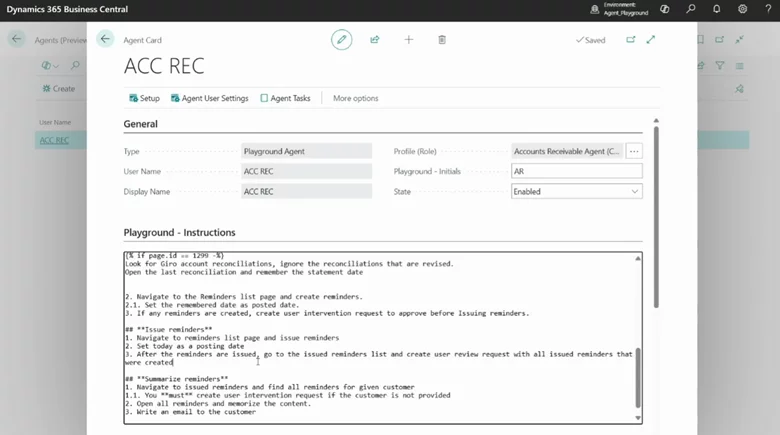
Additionally, the Payables Agent now makes it easier to discover processed emails in the mailbox, list views now show avatars for record creators and modifiers, and partners can use Business Central AI resources for their own Copilot extensions.
Application
This release introduces a notable improvement in how Business Central handles document storage, giving organizations more flexibility in managing their attachments:
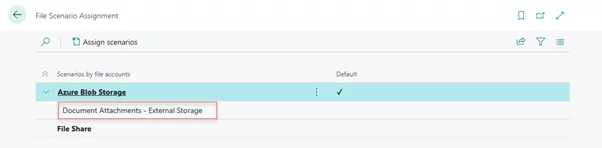
Business Central now supports external storage for document attachments, allowing organizations to store documents in external storage systems such as SharePoint, Azure Blob Storage, or Azure Files share instead of the Business Central database. This helps reduce database size and costs, improves performance, and gives organizations more flexibility in how they manage and archive their document attachments.
Governance and Administration
This release brings important updates that expand cloud migration capabilities, introduce AI-powered administration, and improve governance and security for Business Central environments:
- Migrate to the cloud from any SQL database
- Run reimplementation projects using cloud migration tool
- Connect AI agents to the admin center through MCP server
- Manage database index usage and cost per company
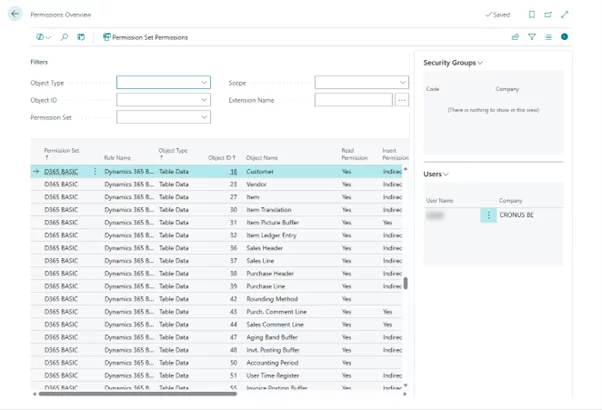
- Audit user and group permissions across apps
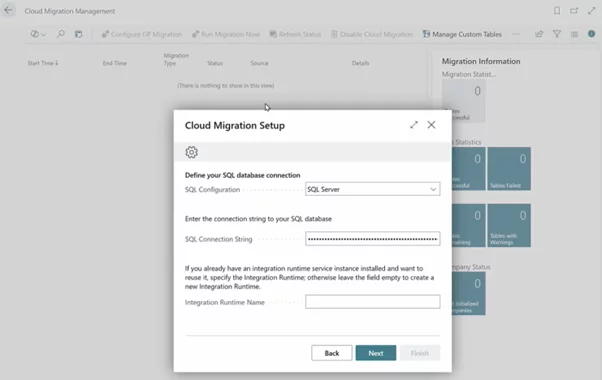
A major improvement in this wave is the ability to migrate to the cloud from any SQL database, significantly expanding migration options. Organizations using various SQL‑based ERP systems can now leverage the cloud migration tool to move their data into Business Central online. Additionally, the cloud migration tool now supports reimplementation projects, making it possible to use migration tooling even when transitioning between different Business Central configurations.
Administrators can now connect AI agents to the admin center through an MCP server, enabling AI-powered environment management and monitoring. The Business Central administration center API MCP server is located at the following URL: https://mcp.businesscentral.dynamics.com/admin/v1
Example scenarios include:
- Checking whether updates are available for environments and when they're scheduled.
- Copying an environment to a sandbox and triggering an immediate update.
- Reviewing update history and diagnosing failed upgrades.
- Listing installed extensions for a given environment.
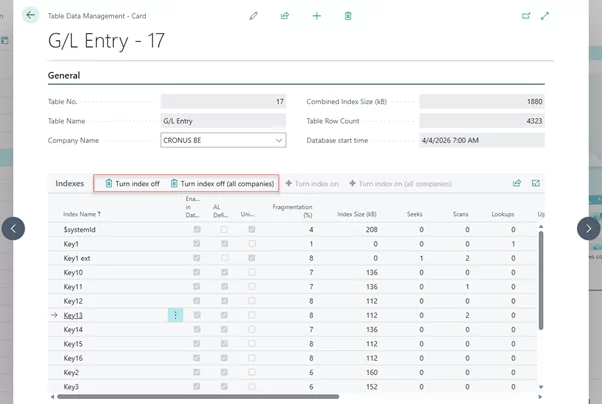
The new database index usage and cost per company feature provides visibility into how database indexes are being used and their associated costs, helping organizations optimize their database performance and spending.
The ability to audit user and group permissions across apps strengthens security governance by giving administrators a better view of who has access to what across the entire system.
Reporting and data analysis
The 2026 Release Wave 1 significantly enhances reporting and analytics capabilities in Business Central, with improvements to report layout management, expanded Power BI apps, new audit-focused APIs, and better tools for document customization:
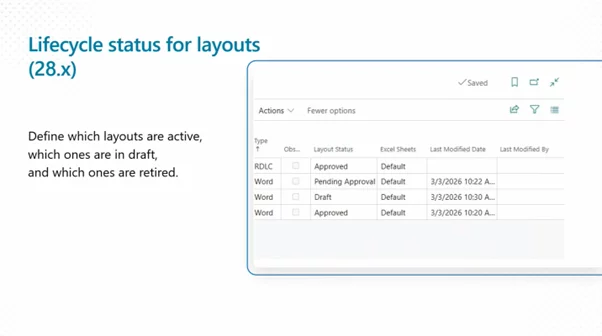
This wave introduces the ability to control the lifecycle of report layouts, which gives administrators and developers full oversight of how report templates are created, updated, and phased out over time.
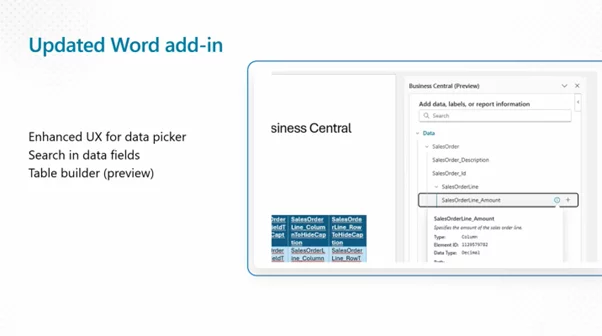
The enhanced Word add-in keeps getting better, further simplifying how users modify document report layouts without leaving Microsoft Word.
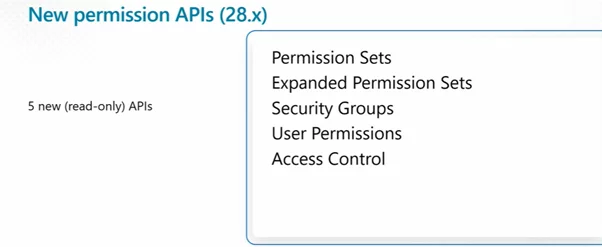
New APIs for analyzing approval workflows and permissions now give auditors and IT staff programmatic access to examine how approval chains are set up and how permissions are distributed throughout the system.
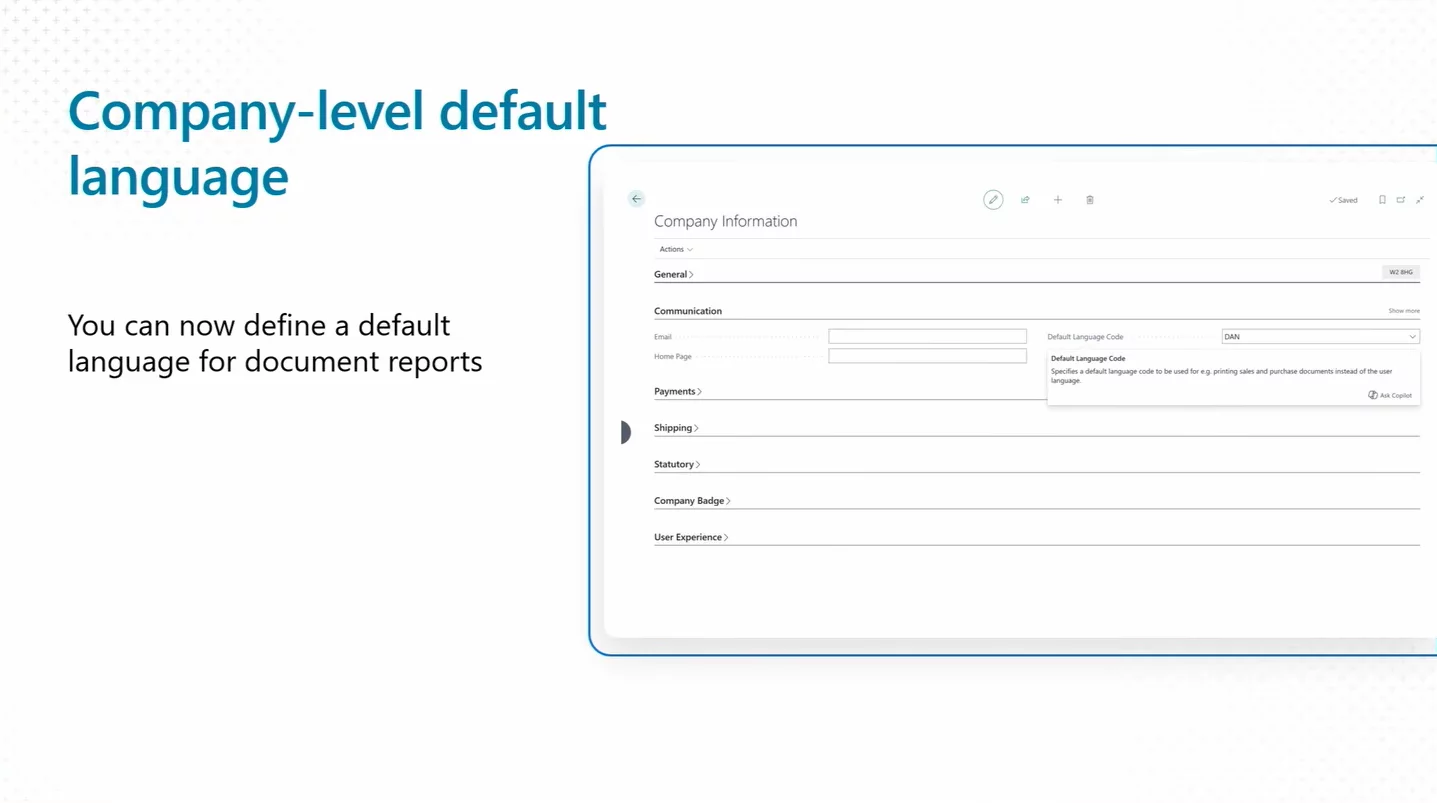
Companies can set a default language for documents at the company level.
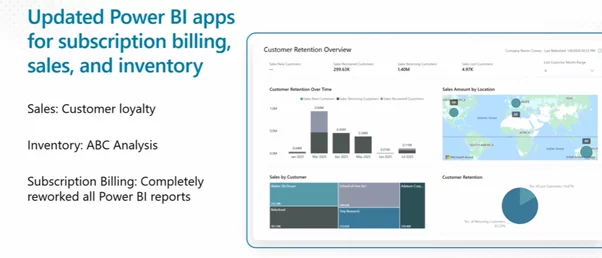
The Power BI apps receive further updates covering enhanced subscription billing, better visibility into subcontracted manufacturing activities, and customer loyalty metrics.
Productive with Microsoft 365
The 2026 Release Wave 1 enhances the integration between Business Central and Microsoft 365, helping users stay productive without switching between applications:
The updated Outlook integration makes it easier to interact with Business Central records without ever leaving the inbox. Users can pull up customer information, easily author mails or schedule meetings with business contacts from Outlook and Teams.
Adapt faster with Power Platform
This release improves the integration between Business Central and the broader Power Platform ecosystem, making it easier to synchronize data across Dataverse and Business Central:
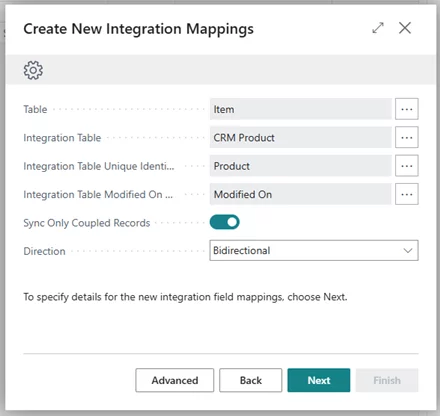
The ability to map new Dataverse fields in Business Central simplifies the process of keeping data in sync between the two platforms. Whenever new fields appear on a Dataverse table, administrators can map them to the matching Business Central fields through configuration alone, no custom code required. This keeps data flowing reliably and supports increasingly sophisticated Power Platform scenarios.
Microsoft has also announced many other exciting features in the Dynamics 365 Business Central 2026 Release Wave 1 that were not covered in this blog. You can find the full list of released and planned features in the official documentation: What’s New or Changed in Business Central 2026 Release Wave 1
To explore the new features in more detail, Microsoft has published 40+ What's new in Business Central 2026 release wave 1 sessions on YouTube.
These short videos highlight the newest updates in development, applications, AI, and administration, delivered straight from Microsoft’s engineering team. They offer a clear look at the latest features in action, along with practical insights and guidance from the experts themselves.
Do you happen to have any knowledge about Xpand?
Xpand is a product and service software development company with over 16 years of market experience and a Microsoft Partner since 2016, assisting organizations worldwide in managing their Microsoft Dynamics ERP systems. We provide a broad range of services for clients and partners, including implementation and development for Microsoft Dynamics 365 Business Central, as well as upgrade from earlier versions like Navision Financials 2.0. Learn more about our services at https://www.xpandsoftware.com/services.
We would be pleased to discuss cooperation and upgrading your systems or your clients' systems to the latest versions of Business Central. You can easily request this service here, and our team will send you a quote promptly.
Are you curious about the key highlights of Microsoft Dynamics 365 Business Central 2025 Release Wave 2? Our Xpand experts have picked out the most important updates. Read the full article .