

Xpand Portal version 4.4.0.0 introduces practical improvements in security visibility, external file storage integration, and everyday usability of the portal.
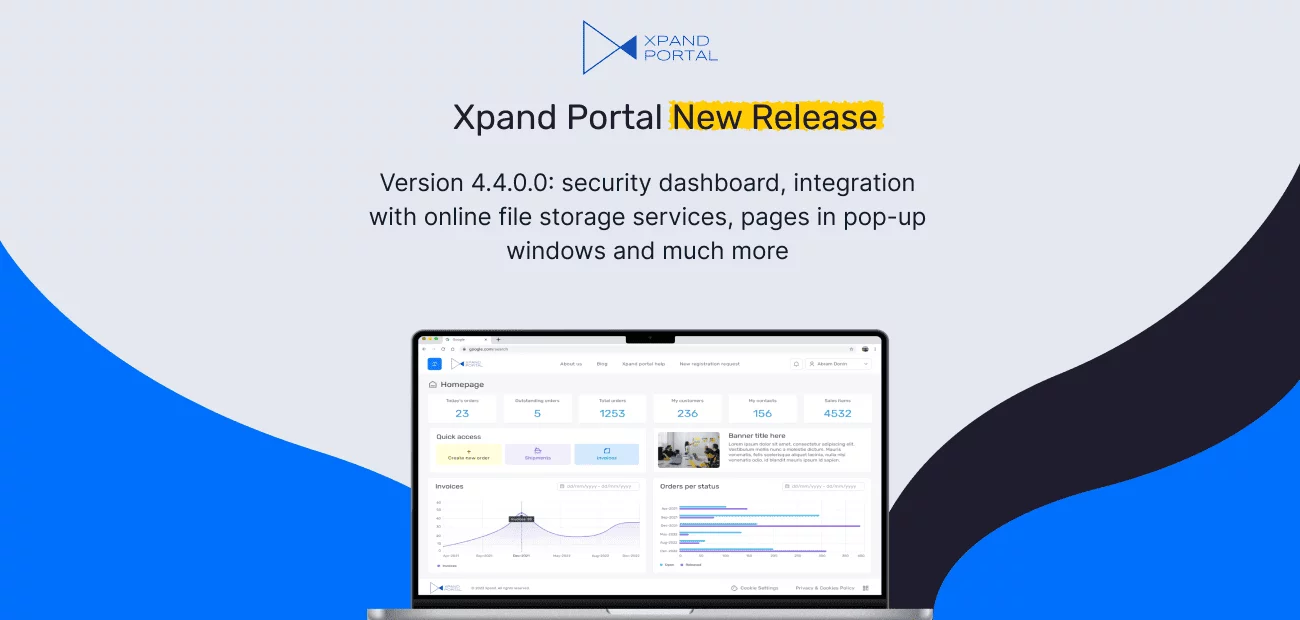
Xpand Portal keeps evolving to deliver a more secure, powerful, and user-friendly platform — and we’re excited to introduce our latest update.
Why you’ll love 4.4.0.?
- Security enhancements. The security analytics dashboard now makes verification faster and offers rich insights, cutting down on manual checks.
- Cloud storage support. We’ve added support for widely used cloud storage services, so you can organize files more effectively without extra hassle.
- User experience upgrades. We’ve introduced new way of opening pages and improved notification management to make everyday use more intuitive and pleasant.
Let's find out what`s new int this release.
Xpand Portal's latest release, version 4.4.0.0, introduces security dashboard. Review and verify portal security settings from a single page.
With Xpand Portal, we take data security seriously and continuously look for ways to improve it. In this release, we’re introducing the Security dashboard — a centralized page that gives you a clear overview of security-related settings at a glance.
Because access to data is governed by multiple settings across the portal, the Security dashboard brings everything together in one place. It allows you to review key security configurations and quickly navigate to the relevant pages to make changes when needed.
With reports on the Security dashboard, you can:
- Review public access settings
See which master, grid, and detail pages are accessible to anonymous users, or — when role-based access is applied — which user roles have access to each page.
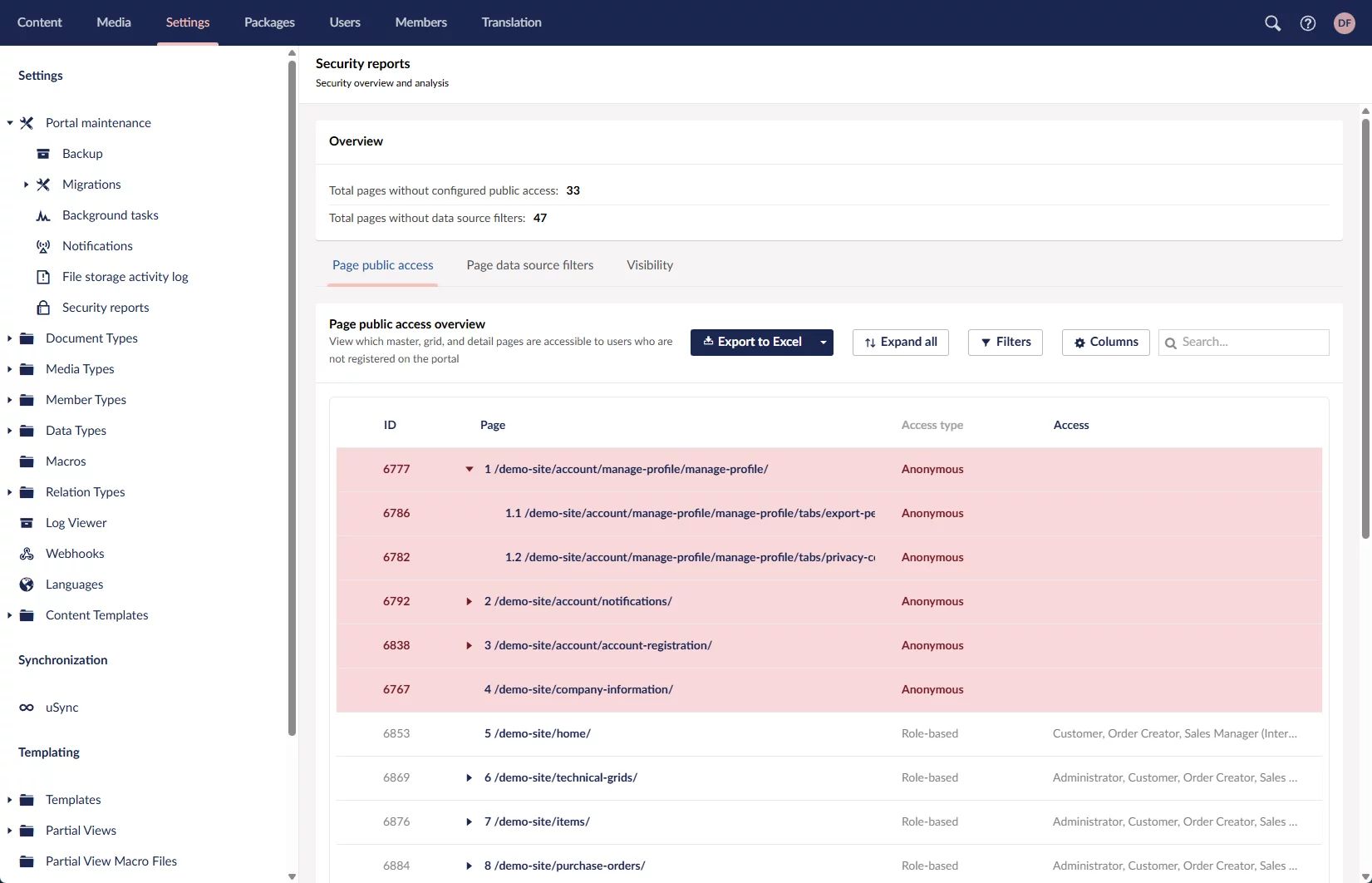
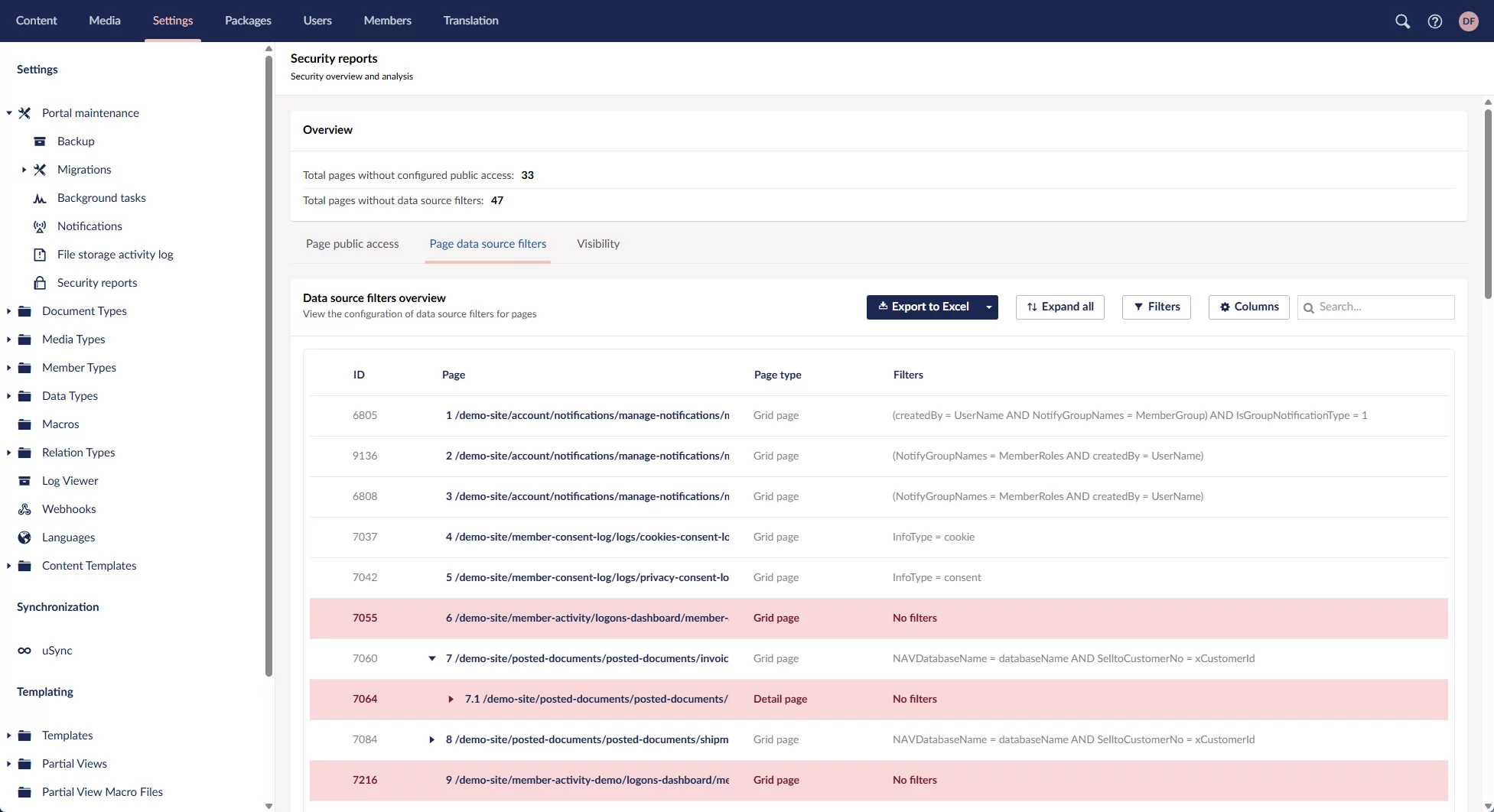
View configured data source filters
Get an overview of all data source filters currently applied to pages.
Check visibility permissions
Inspect visibility settings for pages (including menu items) and individual page parts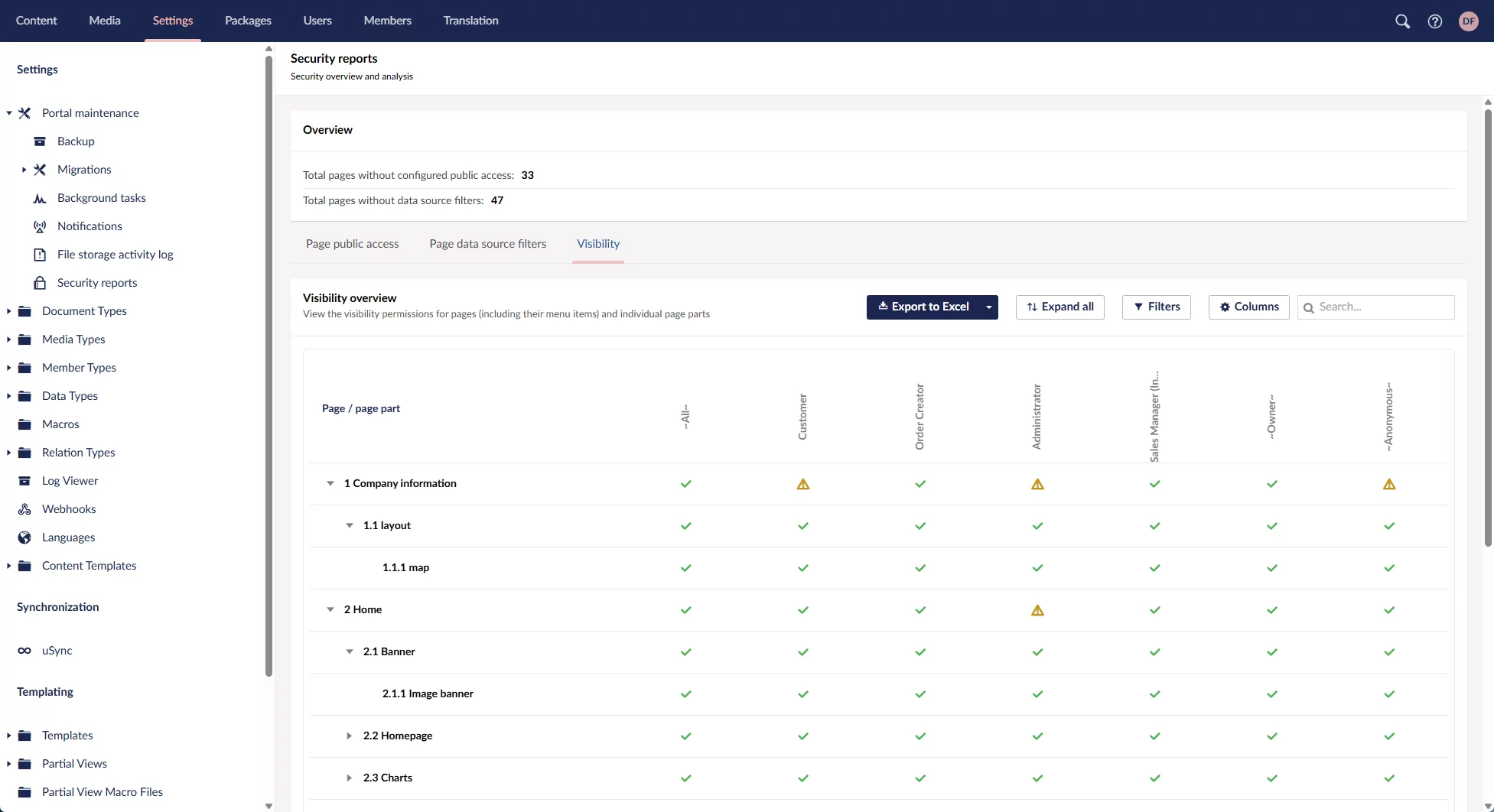
Across all security reports, you can export data to Excel, expand or collapse nodes, and customize the view using filters, column visibility, and column width. Selecting a page or page part takes you directly to the corresponding settings page, where you can adjust the related security configuration if necessary.
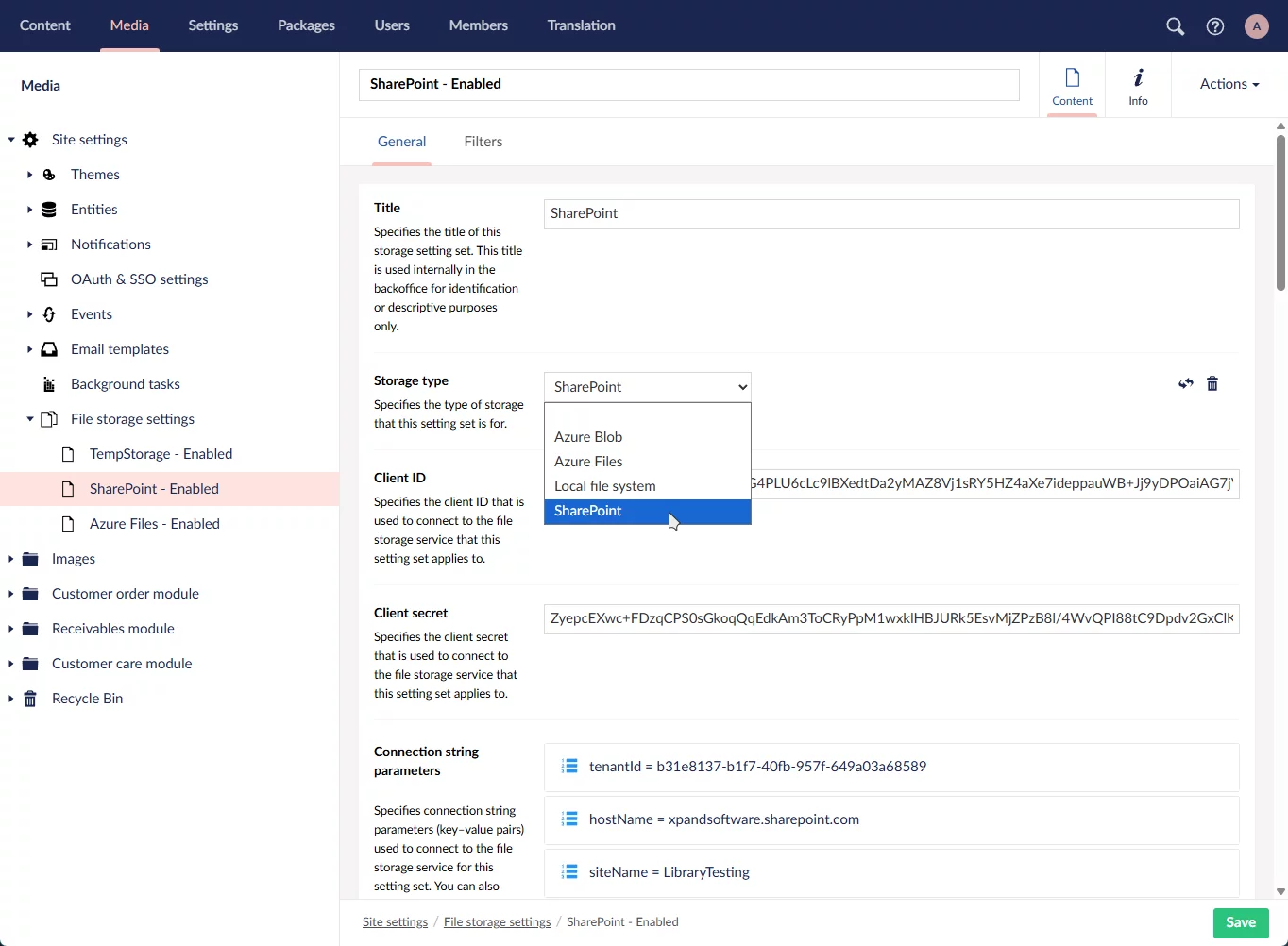
Xpand Portal’s latest release, version 4.4.0.0, introduces integration with online file storage services. Connect to SharePoint, Azure Blob, Azure Files and more.
Xpand Portal now supports storing all files uploaded through the portal using configurable file storage services. You can choose to store files on the local file system or integrate with external file storage services, depending on your infrastructure and requirements.
Out of the box, Xpand Portal provides integration with Azure Files, SharePoint, and Azure Blob, with the local file system available as an alternative storage option. The storage architecture is extensible, allowing additional file storage services to be added in the future if required.
This storage mechanism is applied consistently across the portal, regardless of where files are uploaded. When an external storage service is configured, uploaded files are stored outside the portal while remaining fully accessible from portal pages and workflows.
Xpand Portal also supports multiple file storage configurations. By using filters, you can route uploaded files to different storage locations based on configurable conditions, enabling flexible storage strategies for different types of content.
Xpand Portal's latest release, version 4.4.0.0, introduces file storage activity log.
Integration with file storage services includes a File storage activity log that provides visibility into file storage operations across all configured storage services. When the debug mode is enabled, the log captures statistics and registers detailed entries for file-related events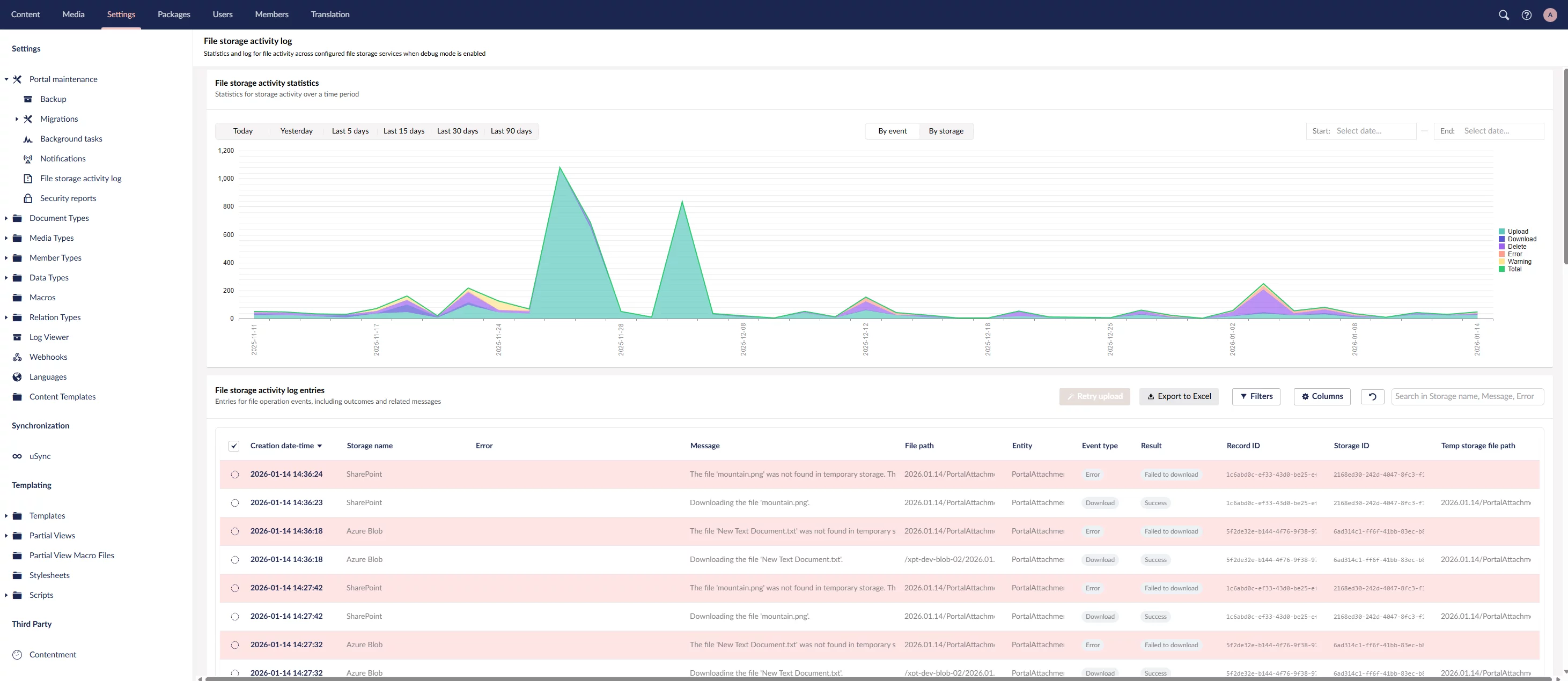
With the File storage activity log, you can:
- View statistics for file storage activity over a selected time period.
- Analyze activity grouped by storage type or event type.
- Review detailed log entries for all file storage events, including the event result and related messages.
- Retry uploading files that failed during upload.
- Customize the log view by setting filters, adjusting visible columns, and changing column width.
The File storage activity log helps administrators monitor storage behavior, troubleshoot errors, and verify that file operations are processed as expected.
Xpand Portal's latest release, version 4.4.0.0, introduces pages in pop-up windows.
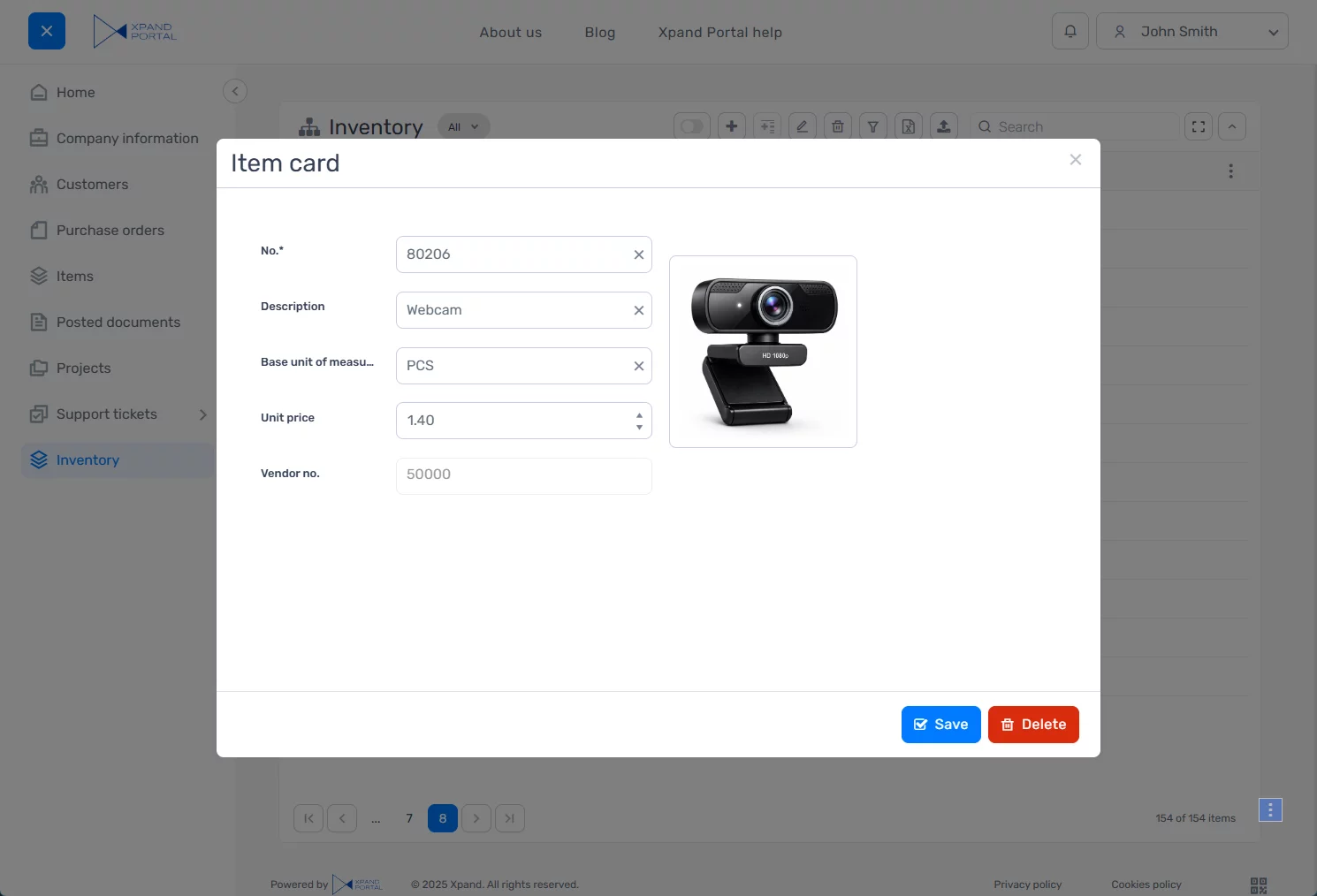
To support scenarios where users need to quickly enter or preview data without leaving the current page, we’ve added the ability to open portal pages in pop-up windows.
A new option has been added to the hyperlink settings (for example, within field data format string settings or settings of certain page actions), allowing you to open any portal page or external URL in a pop-up window.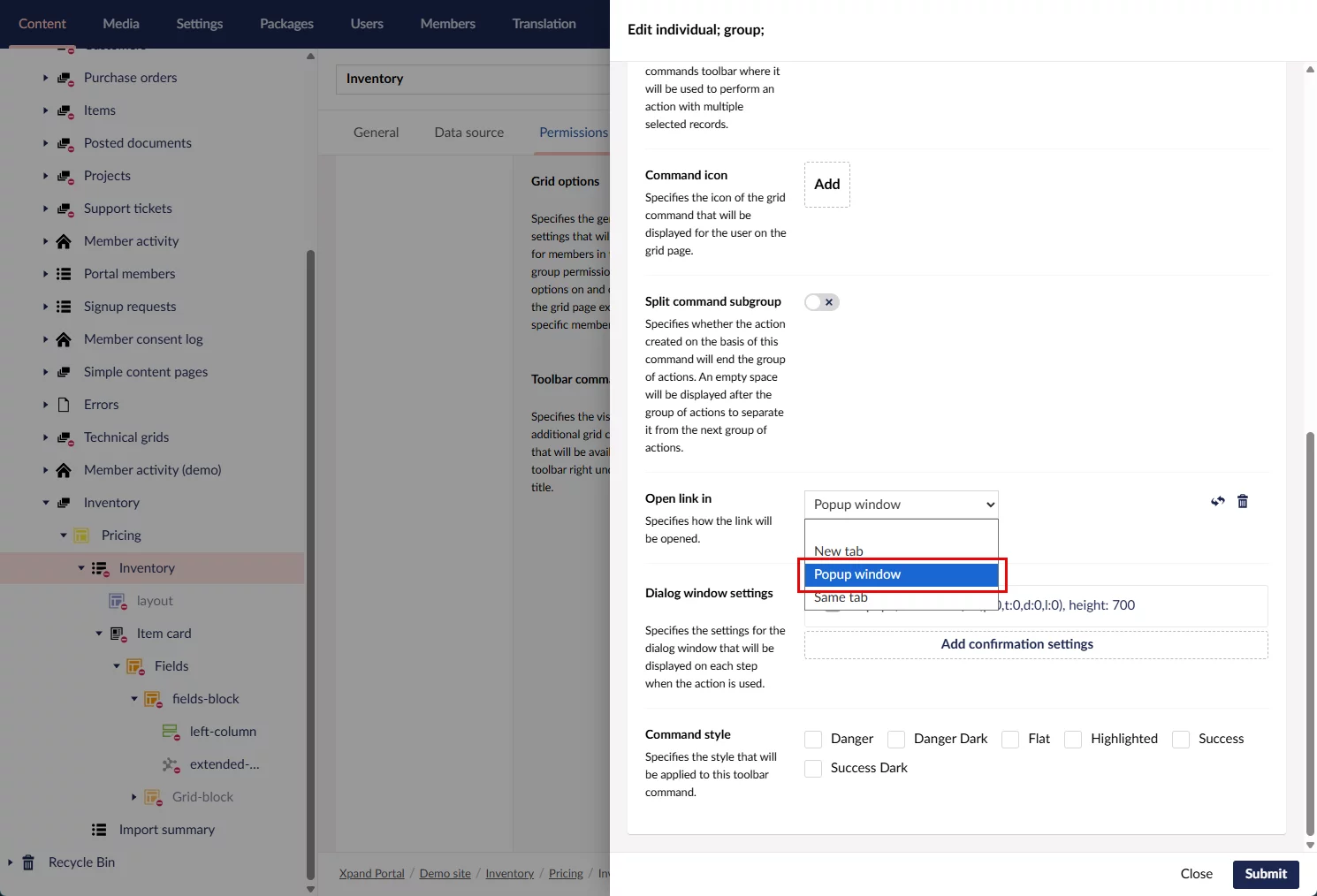
Xpand Portal's latest release, version 4.4.0.0, introduces simplified notifications subscription management
The Manage subscriptions page improvements:
1) Improvements for all member roles:
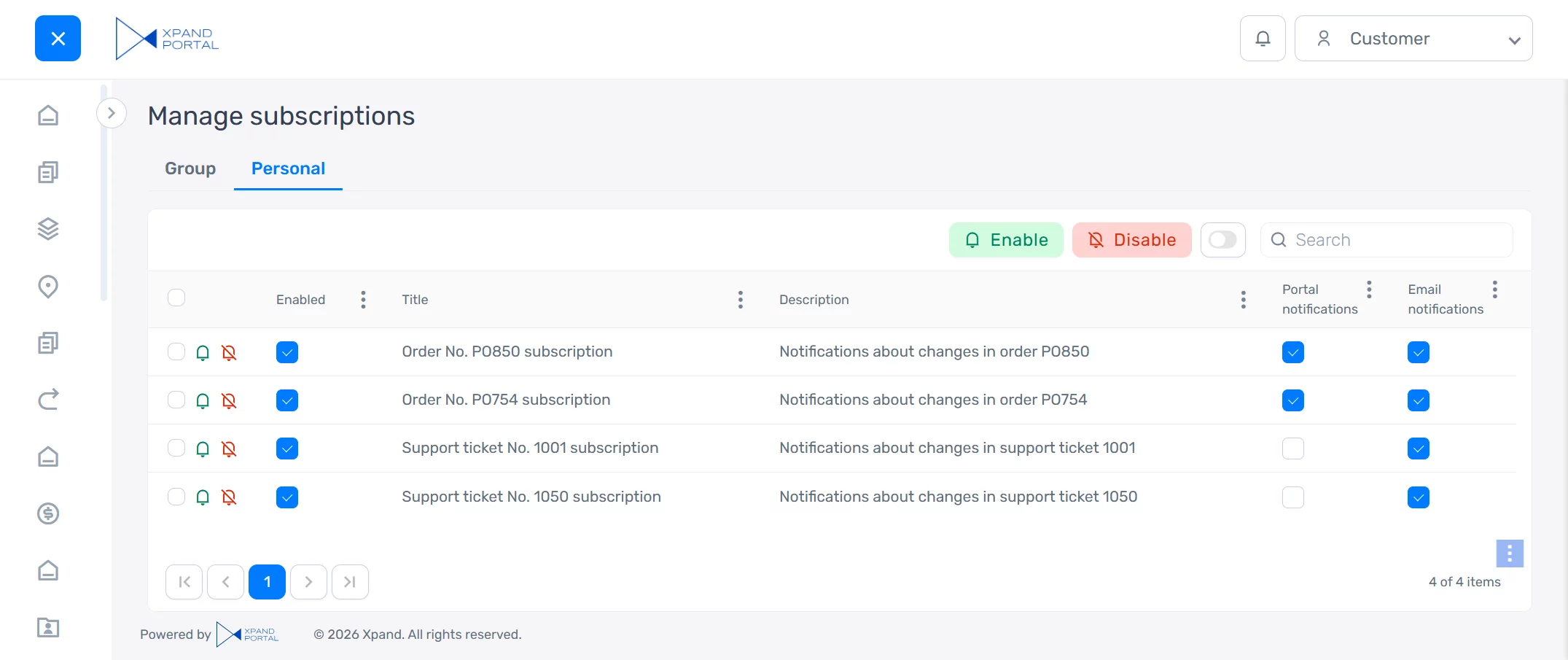
- The default layout and captions were revised to simplify the subscription management experience.
- New actions allow members to enable or disable subscriptions directly from the Manage subscriptions page, in addition to the existing check boxes for disabling specific notification types.
- To efficiently use portal resources, direct subscriptions are automatically cleaned up:
- Direct subscriptions that are disabled or have both portal and email notifications turned off are automatically deleted the next day.
- Direct subscriptions are deleted after 30 days, even if they remain enabled.
- The Title and Description columns are now automatically populated using the pattern configured for the Notifications action on the portal page where the subscription was created. For this, two new action settings, Subscription title and Subscription description, were added. These settings support variables, allowing subscription titles and descriptions to be context-specific and easier for members to understand.
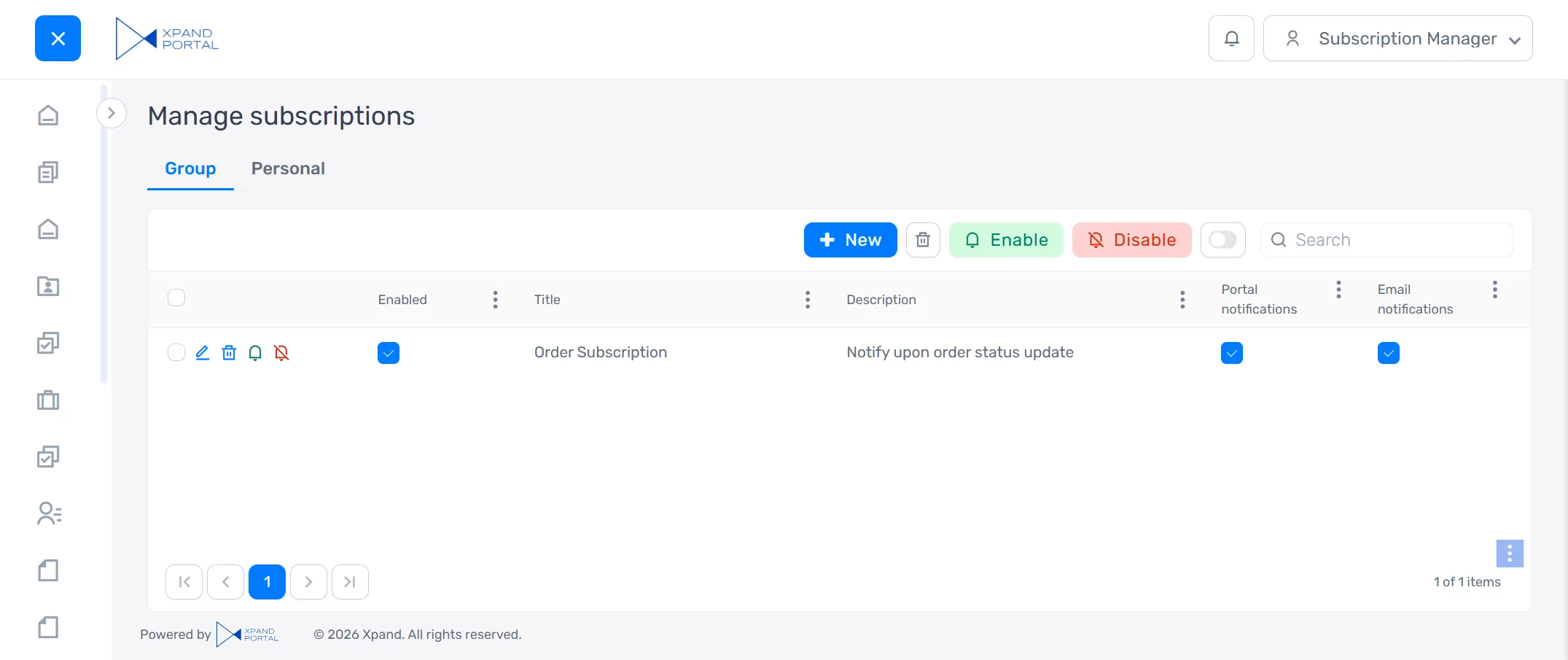
- To simplify the subscription management for non-administrative members, in the default portal configuration, the ability to create advanced subscriptions (with conditions that are configured on the subscription card) is now available only for administrators and subscription managers.
2) Improvements for administrators and subscription managers:
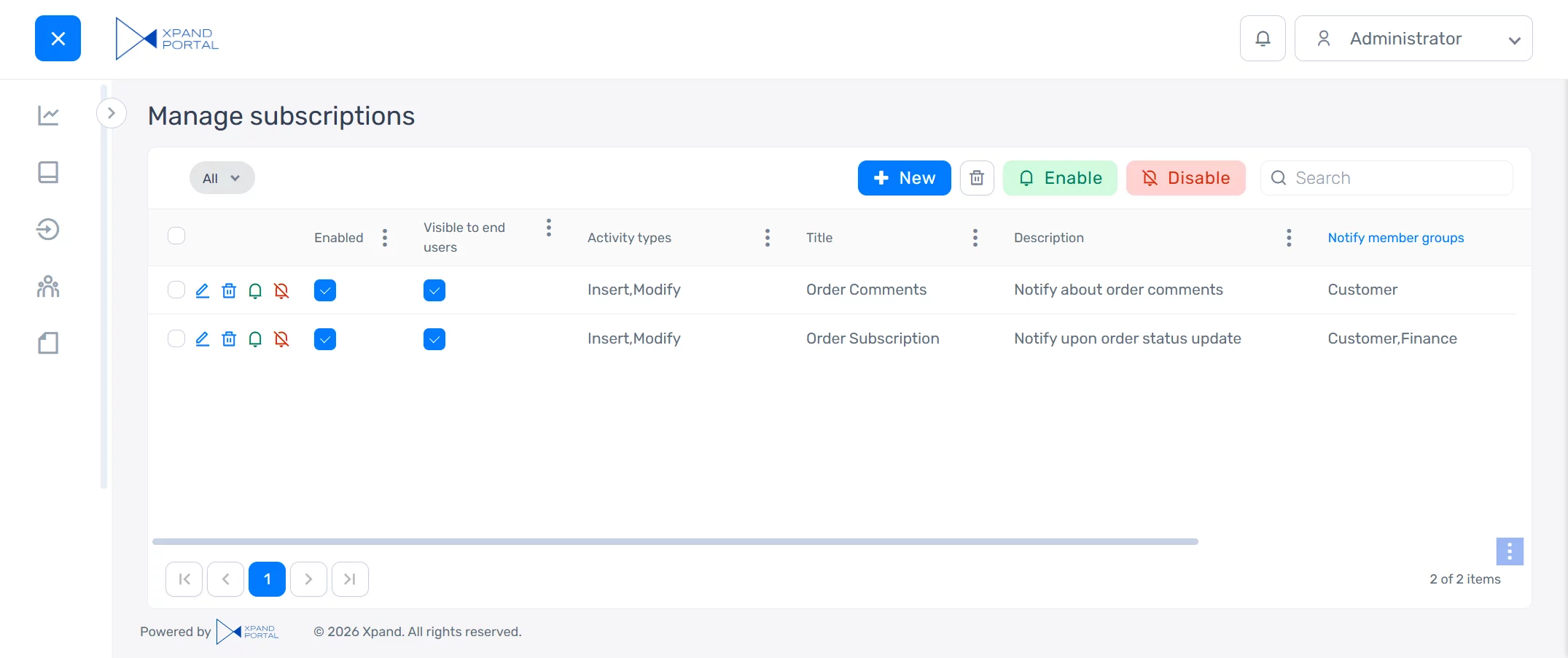
- A new Visible to subscribers check box was added to the subscription card. This option allows administrators and subscription managers to control whether a subscription is visible to non-administrative members on the Group tab of their Manage subscriptions page.
Business member’s view (not administrator or subscription manager):
Administrator’s view:
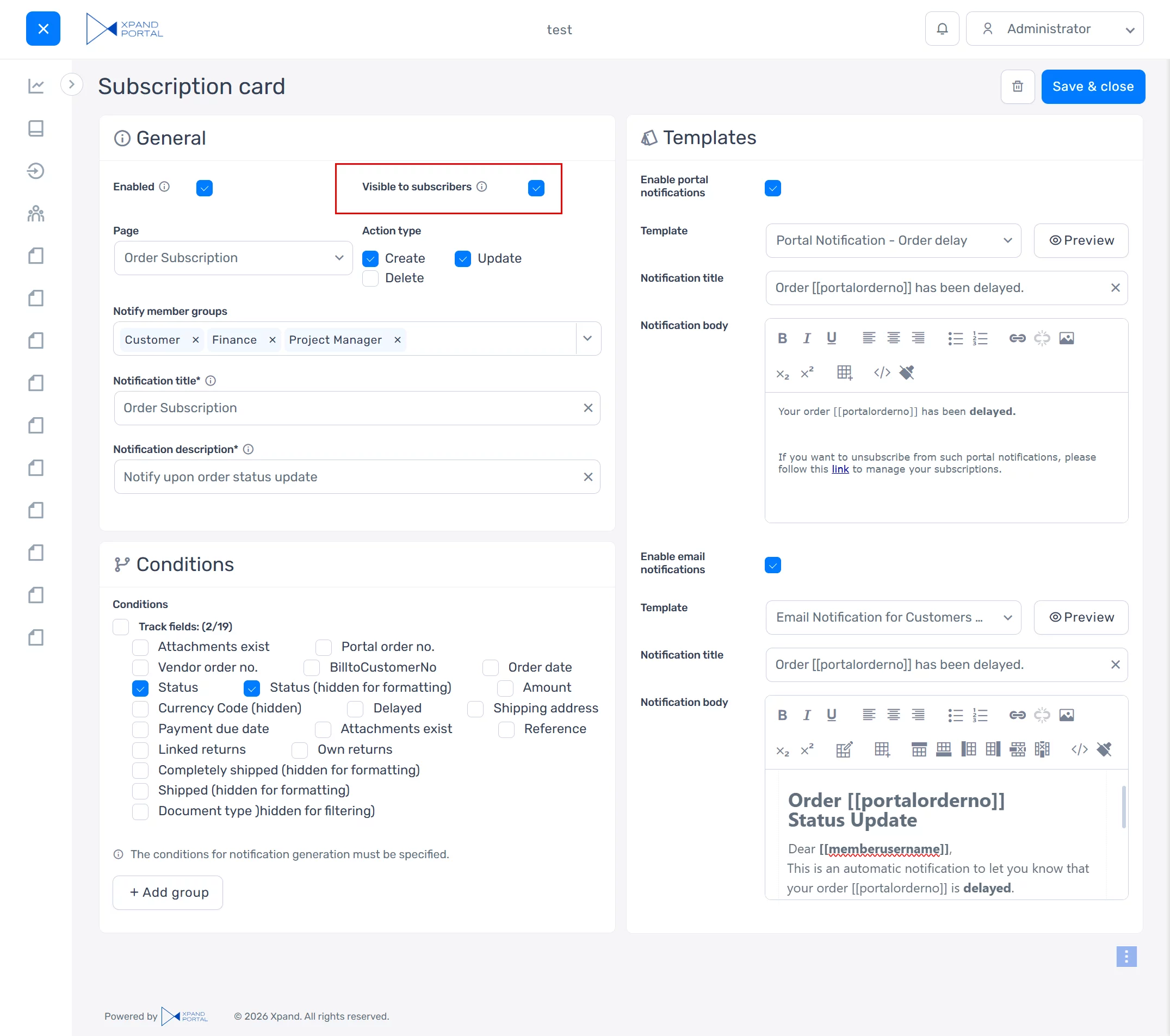
Subscription manager’s view:
Note: These configuration changes apply to new portal installations. To upgrade an existing installation, you’ll need to add the new role and restore the corresponding content using the files provided in the release package.
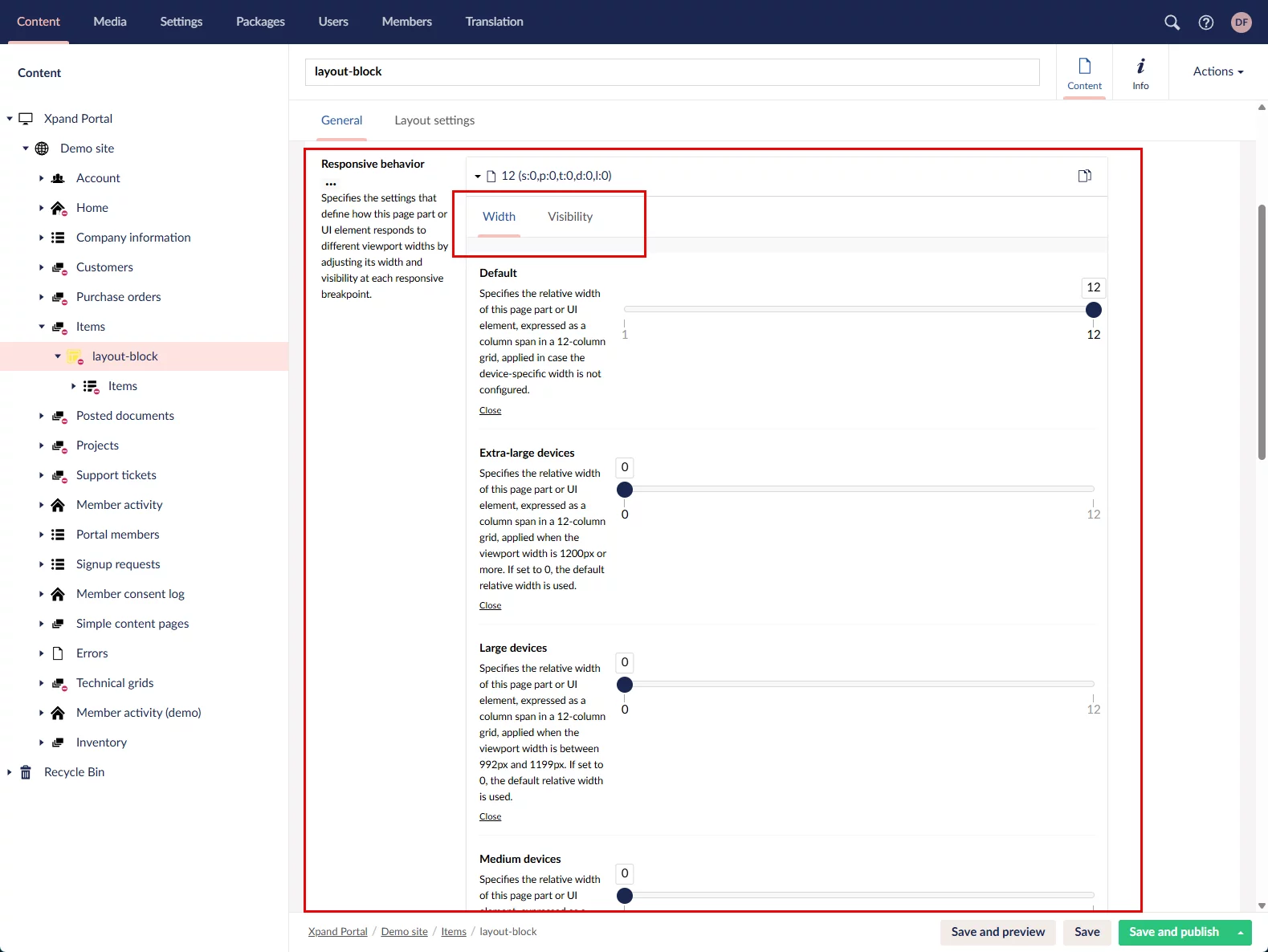
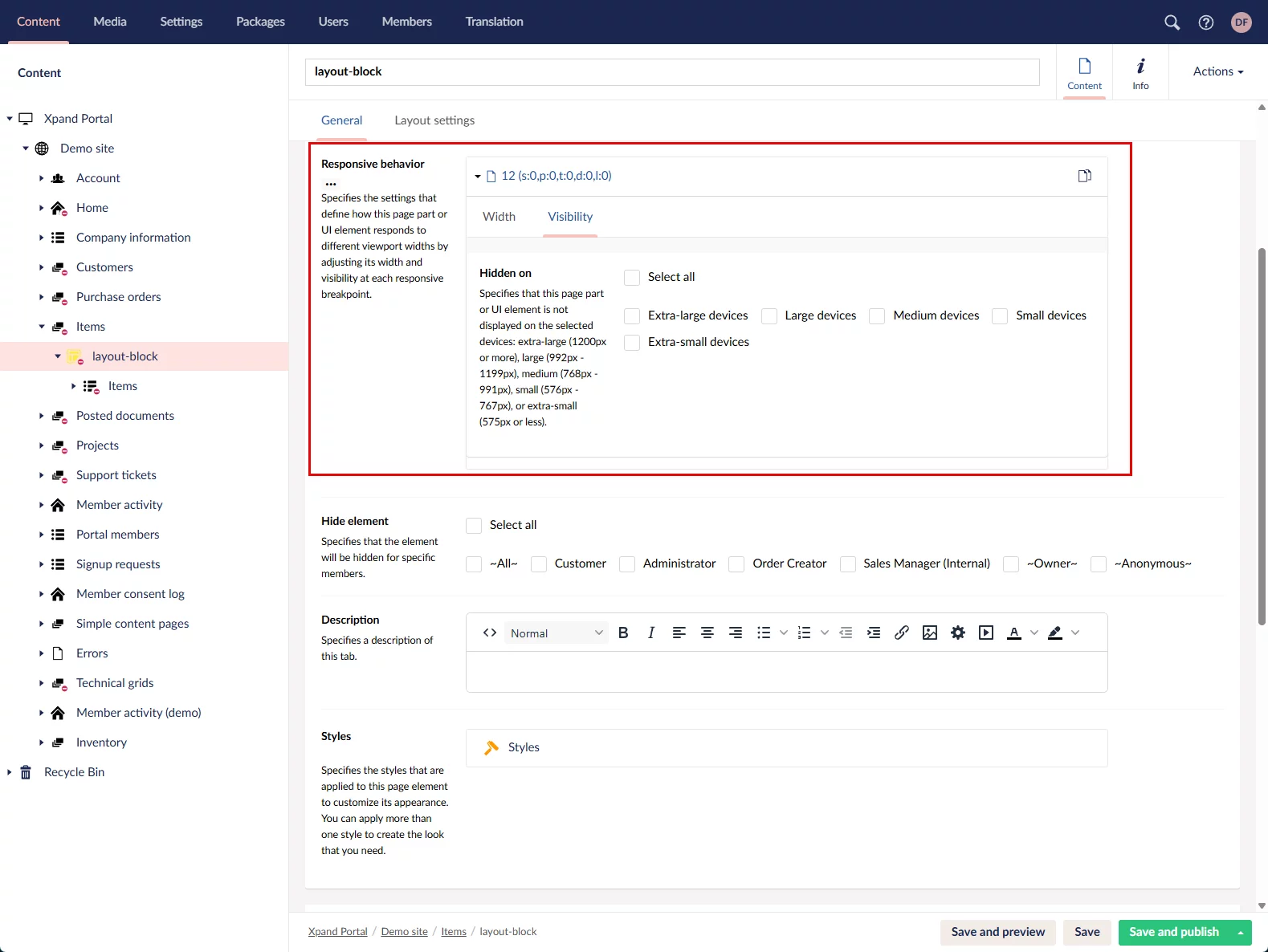
Xpand Portal's latest release, version 4.4.0.0, introduces overhauled responsive behavior settings
We revised and expanded the responsive behavior settings. Previously, you could configure only the relative width of a UI element for different devices (viewports). You can now also control element visibility by hiding it for specific viewport widths.
We also updated the layout, captions, and descriptions of these settings for improved clarity and usability.
Xpand Portal's latest release, version 4.4.0.0, introduces optimized space for horizontal collapsing/expanding
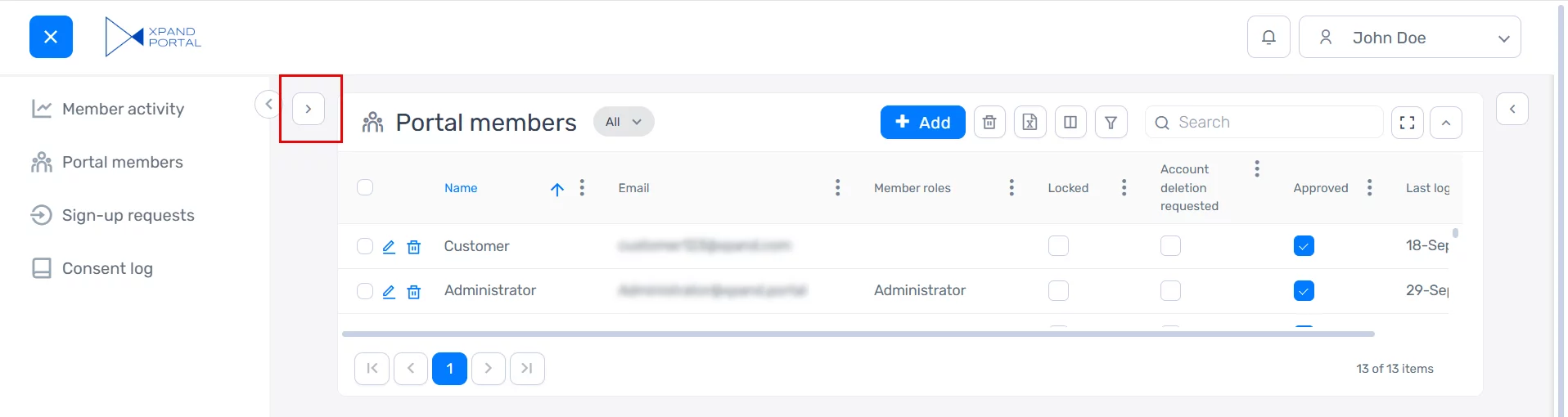
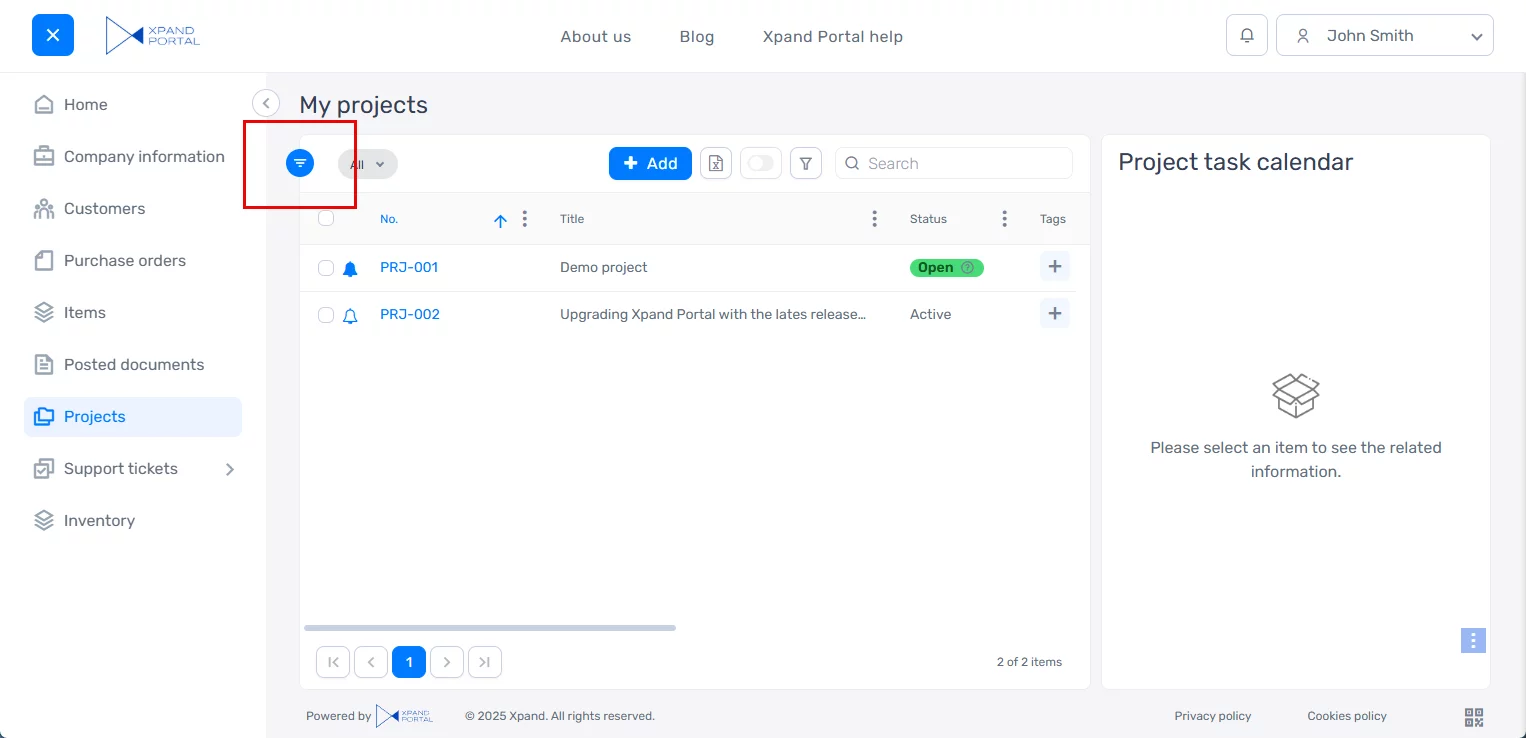
To further optimize space usage, we refined the UI for horizontally collapsing and expanding page parts. Previously, the Expand action icon for a collapsed page part was positioned near the part itself, which consumed more horizontal space than desired.
In the updated design, the Expand action icon is placed directly on the page part’s border line, reducing visual clutter and making better use of available space.
Old version:
New version
Also, several enhancements have been applied to existing components of Xpand Portal.
If you’re interested in updating your existing portal to the latest version, please let us know. We’d be happy to assist you with the update to the new 4.4.0.0 version.
About Xpand Portal
Xpand Portal is a web-based solution with over 9 years of market presence that provides a comprehensive and customizable product for businesses looking to streamline access to their various data sources, such as ERP and CRM systems, and improve companies’ overall productivity. It is designed to be simple and easy to use, with quick and intuitive configuration to meet your specific needs.
For detailed information about Xpand Portal, refer to our help center:
https://help.xpandsoftware.com/
To learn how Xpand Portal can help you meet your business needs, request a demo.