

Version 3.2 of Xpand Portal introduces the following features and improvements:
Overhauled Notifications functionality
The User Notifications functionality has been improved:
- Added a possibility to receive notifications about changes on the records on the Xpand Portal, including those that originate from synchronization with an external system, such as an ERP system.
- Implemented various types of notification subscriptions:
Direct Notifications subscription – The portal member can manually subscribe to changes on a specific record on a page where the notifications functionality is enabled.

Template-based subscriptions – These types of subscription are based on a subscription template, which defines which fields will be tracked for changes, what are the conditions for triggering a notification, what the title and body of a notification will include, and whether it will be shown only on the portal, sent by email, or both. Subscriptions based on a template are created and turned on in CMS (back-end) with the possibility for portal member to edit the subscription details if allowed. Template-based subscriptions include the following subtypes:
All Records Notifications subscription – Portal members can subscribe to changes on all records on any page (in any of the selected fields), related to a certain portal entity. This type of subscription is enabled after the portal member configures and saves the subscription settings from the Manage Notifications window.

Date Condition Notifications subscription - Portal members can subscribe to changes on a page with the following condition that triggers a notification: the field value in a specified date field(s) must be equal to a specific date. This type of subscription is enabled after the portal member configures and saves the subscription settings from the Manage Notifications window.

Condition Notifications subscription - Portal members can subscribe to changes on a page with the following condition that triggers a notification: the field value in a specified field(s) meet the specified criteria in the condition. This type of subscription is enabled after the portal member configures and saves the subscription settings from the Manage Notifications window.

- Added a possibility to create a notification subscription using a template.
- Provided the possibility to choose which fields should be tracked to trigger a notification when subscribing to changes on a record.


-
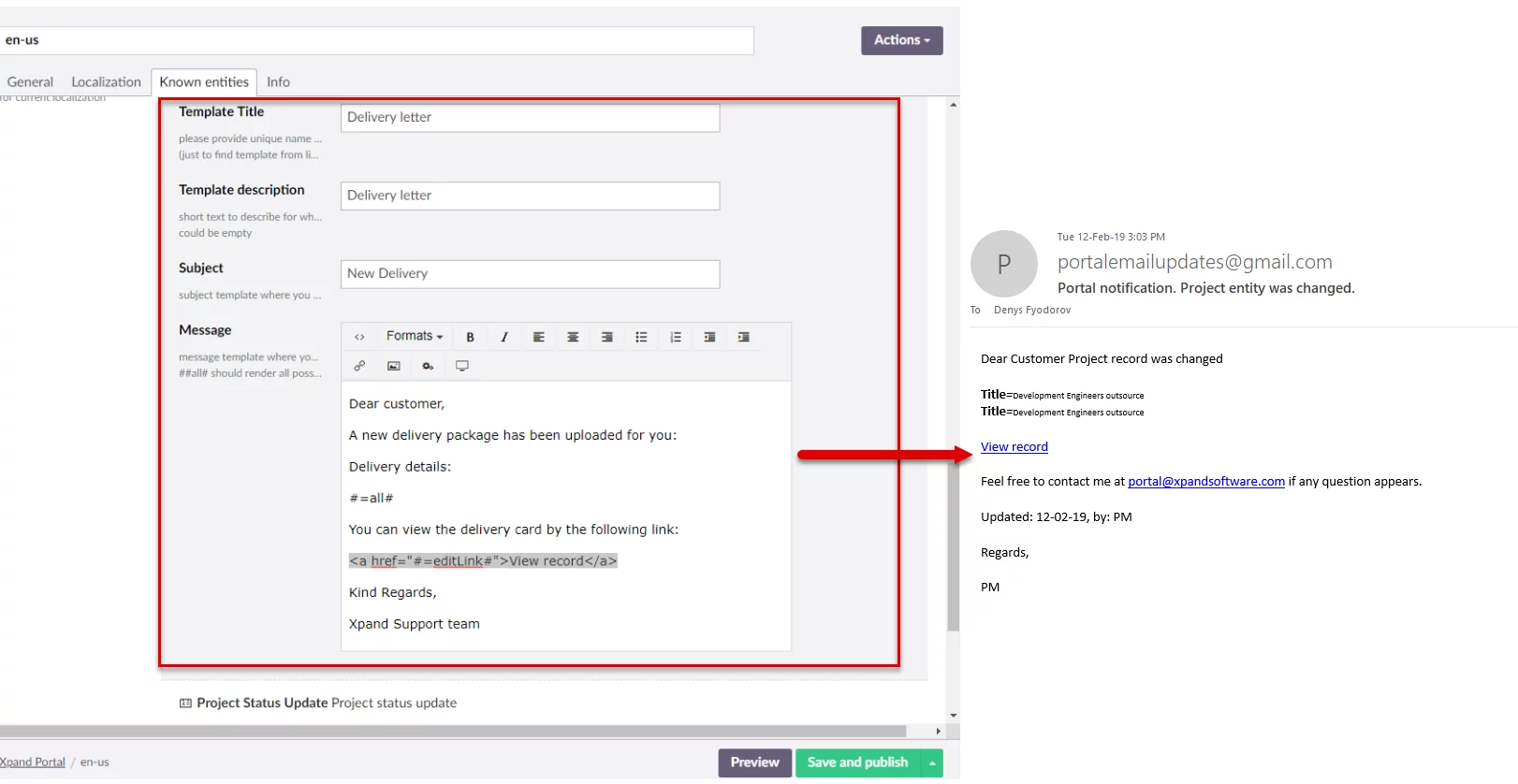
Added a possibility to send email notifications about received portal notifications.
Expanded filtering options for date fields
The filtering possibilities on grid paged have been expanded with new options for date fields – you can set a filter where a date should be the today’s date, within the current week, or within the current month.

In CMS, there is a possibility to set filter by date field value using new options. These filters are applied upon opening a page.

A configurable set of action buttons for detail pages
A configurable set of action buttons has been added. This enables you to add commands that do the following (command captions are customizable):
- Save – Saves the changes on the detail page. This command has two variants:
- Close the detail page after saving and open the parent page
- Stay on the detail page after saving
- Delete – Deletes the record
- Enable/Disable Notifications – Toggles the subscription to changes on the record on or off to enable or disable receiving notifications about changes
- Send Email – Allows you send an email with data from the record or simple text as well as file attachment. This command has a wide variety of settings to set up default email values or use a predefined template. There is a possibility to set up an email recipient to be automatically filled in using any individual email address or choose the needed email from a set of addresses available on the portal (for example, portal contact emails). You can choose to have changes on the grid page saved automatically before sending an email.
The Send Email action can be added to grid pages as well.
New types of content blocks
New types of content blocks have been added that you can add to dashboard pages on the portal:
Gauge tile – Provides a possibility to present aggregated data in the form of a gauge
HyperText Markup Language (HTML) block – Provides a possibility to add text, images, hyperlinks, macros, pieces of code as well as apply text formatting.
Video block – Provides a possibility to embed a Youtube video into a portal page.
Image banner – A banner image that will be displayed on the home page. The banner may have text or links on it.


